Click Any Timestamp: Your YouTube Notes Become a Learning Log
Saving a note while watching is only half the win. The other half is finding it again — without scrubbing a 40-minute timeline or digging through a generic notes app that forgot which video you meant.
In YouFocus, every timed note shows up in History under the video it belongs to. The time is a link. Tap 0:53 → the video opens at 0:53. That is your private learning log, built automatically as you watch.
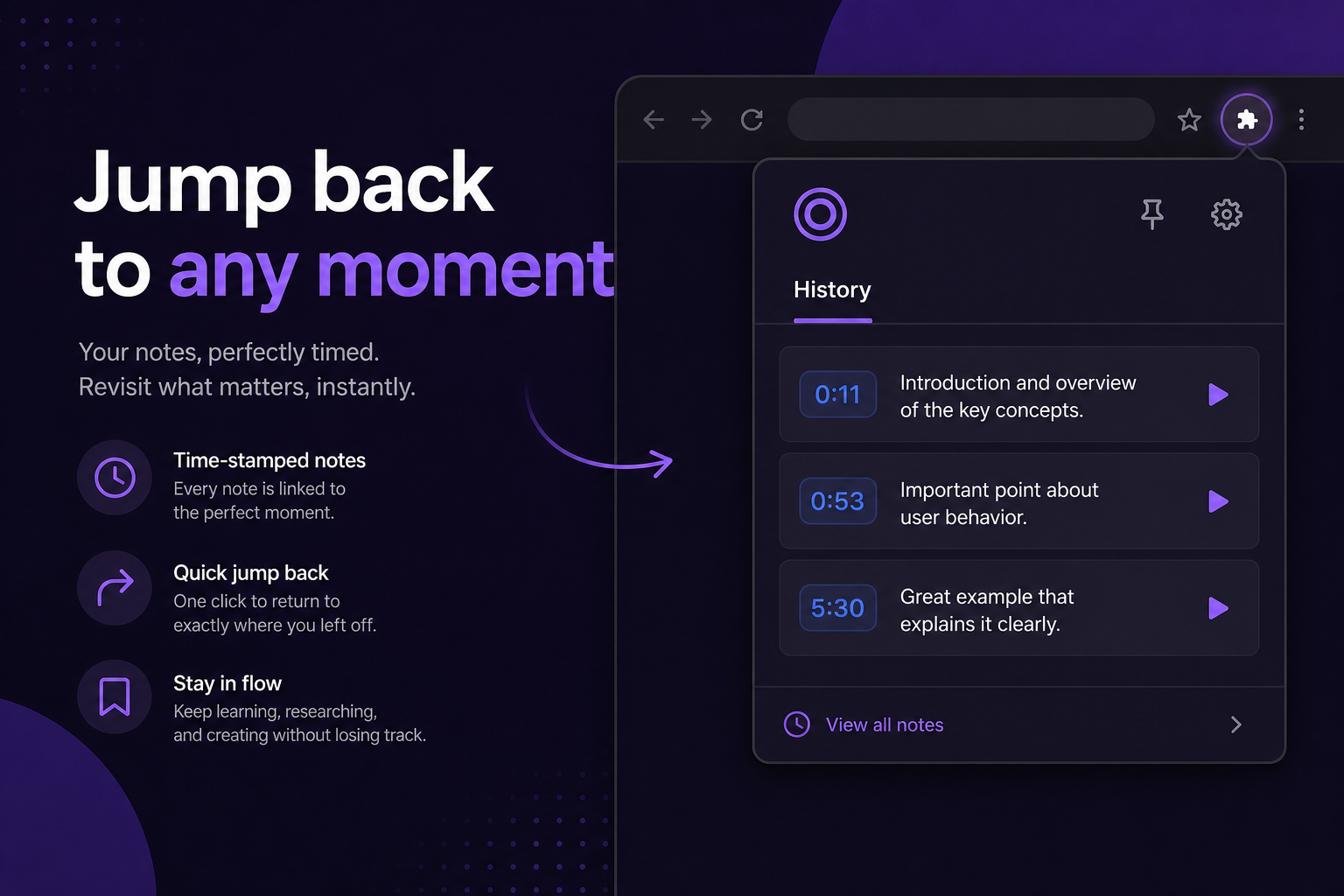
Popup History vs full History page
- Extension popup — scroll to History, see recent videos, expand notes, click a timestamp.
- Options → History — the full page when you want a wider view of the same data.
Same notes, same links, same local storage. Pick whichever fits the moment — quick check in the popup, deep review on the options page.
Real workflows that feel great
Finish a tutorial series
You watched three episodes of a React course last week. Open History, see all three titles, click 14:02 on the one where the instructor finally explains hooks cleanup. You are back in context in one click.
Exam week review
Your notes are a table of contents for the lecture: “definition at 3:10”, “example problem at 18:44”, “professor’s exam hint at 41:02”. Review becomes jumping between moments, not rewatching everything.
Share nothing, lose nothing
Notes never leave your device. No sync account to manage, no “this workspace is on the free plan.” Your History is yours — tied to videos you actually watched while learning.
Works with Study, Work, or Focus off
You do not need Study or Work mode to take notes. Use focus modes when you want a cleaner YouTube — use notes whenever you are learning. Many people keep Focus off for casual learning and still build a rich note list over time.
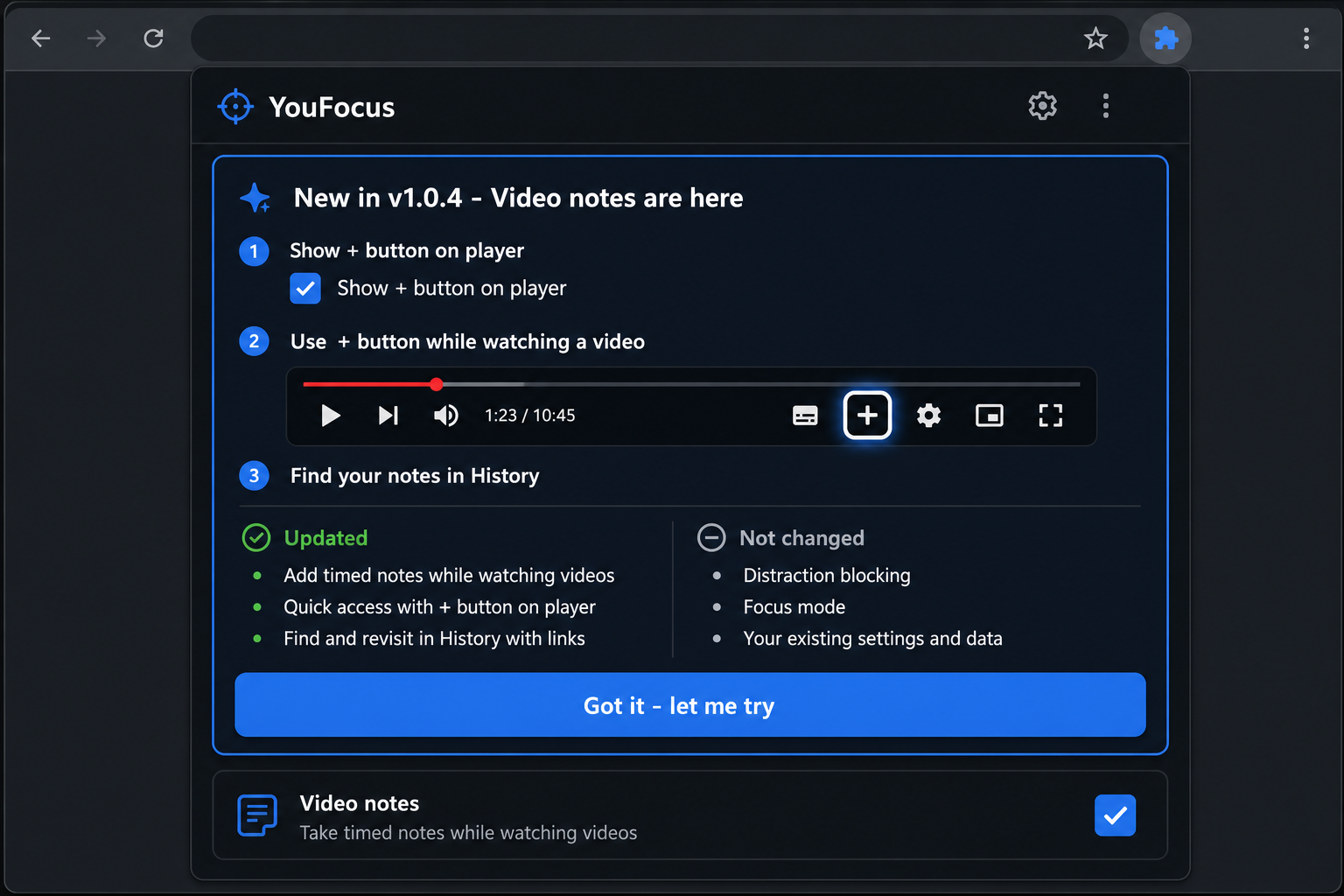
From note to action (a simple habit)
- While watching → + → one short line.
- End of session → open History → scan times + text.
- Next day → click the one timestamp that matters → rewatch 30 seconds, not 30 minutes.
That loop is why timed notes beat a single blob of text per video. You are building entry points, not a diary.
Get started
New to timed notes? Start with Press + and save the exact moment.
Install YouFocus on Chrome — free. Enable Show + button on player, save one note today, click it tomorrow.